One place for the farm, the plan and the follow-up.
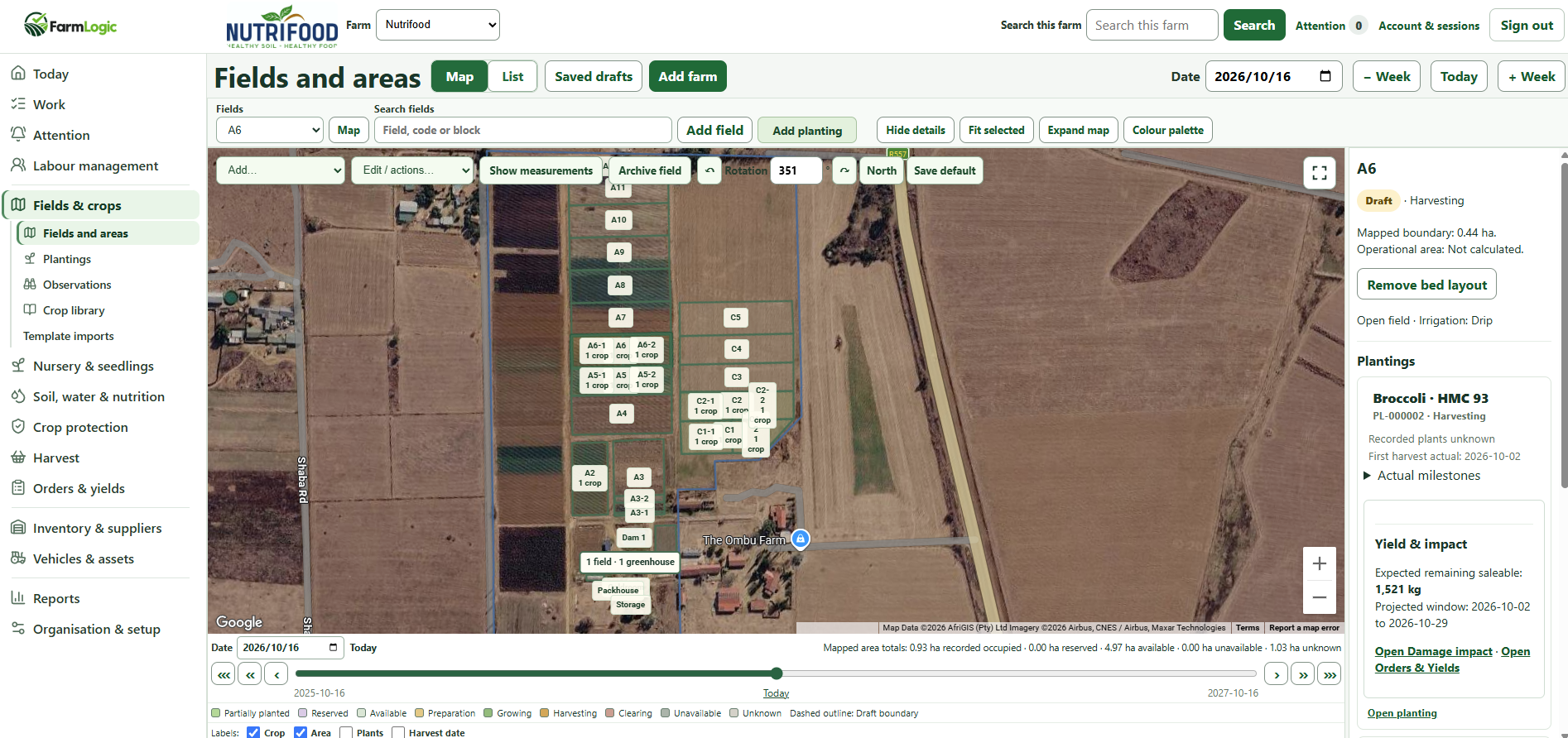
Pilot product viewFields and areas map in the FarmLogic web app, with planting details for the selected block. Map imagery and attribution as shown by the map provider.
See every field, block and planting on the map.
Fields and blocks drawn on satellite imagery
Planting status and harvest window per block
Step through dates to see the farm on a given day
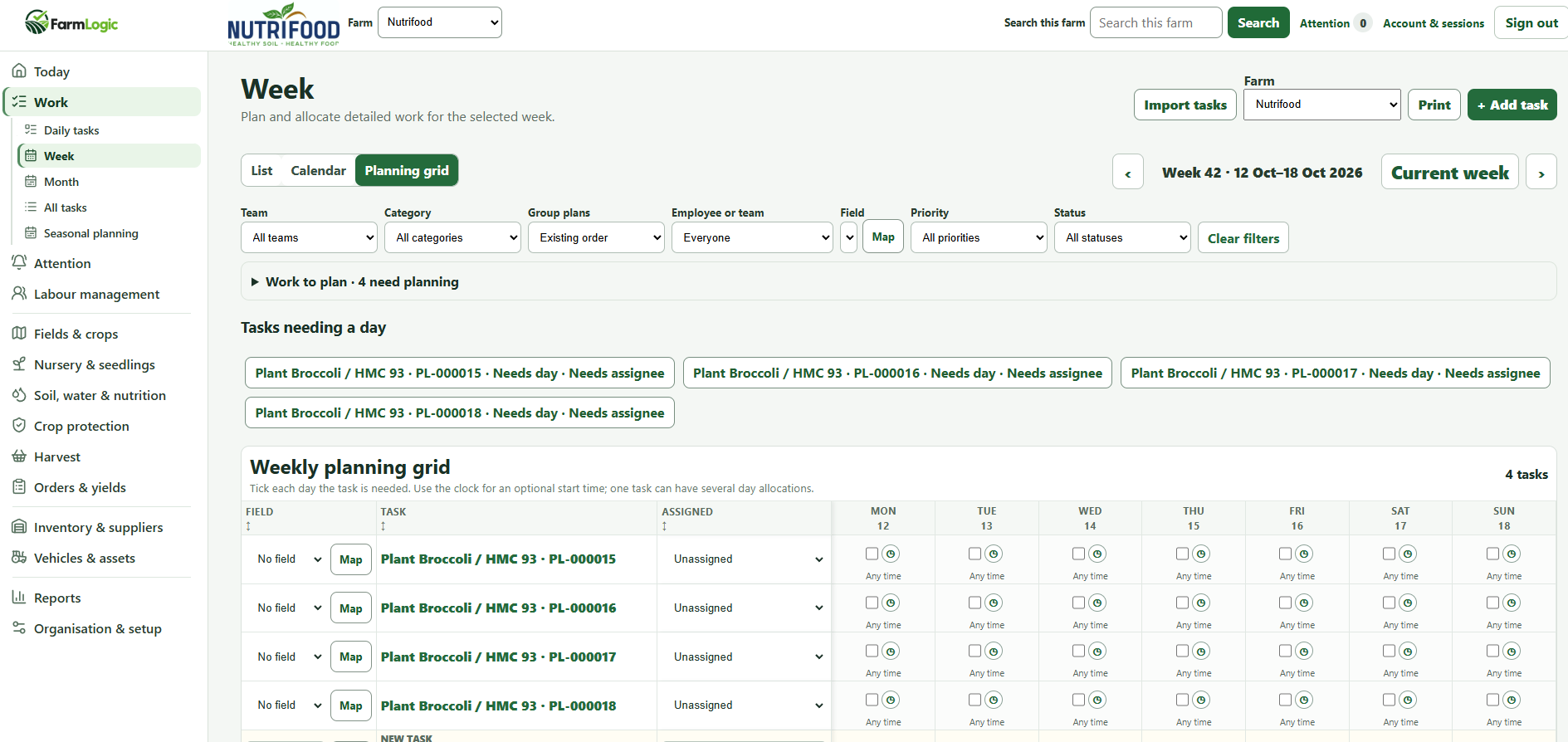
Pilot product viewWeekly planning grid in the FarmLogic web app. A real pilot view: the tasks shown are still unassigned and waiting for a day.
Plan the week on a single grid.
Tick the days each task is needed
Allocate teams or employees
See which tasks still need a day or an assignee
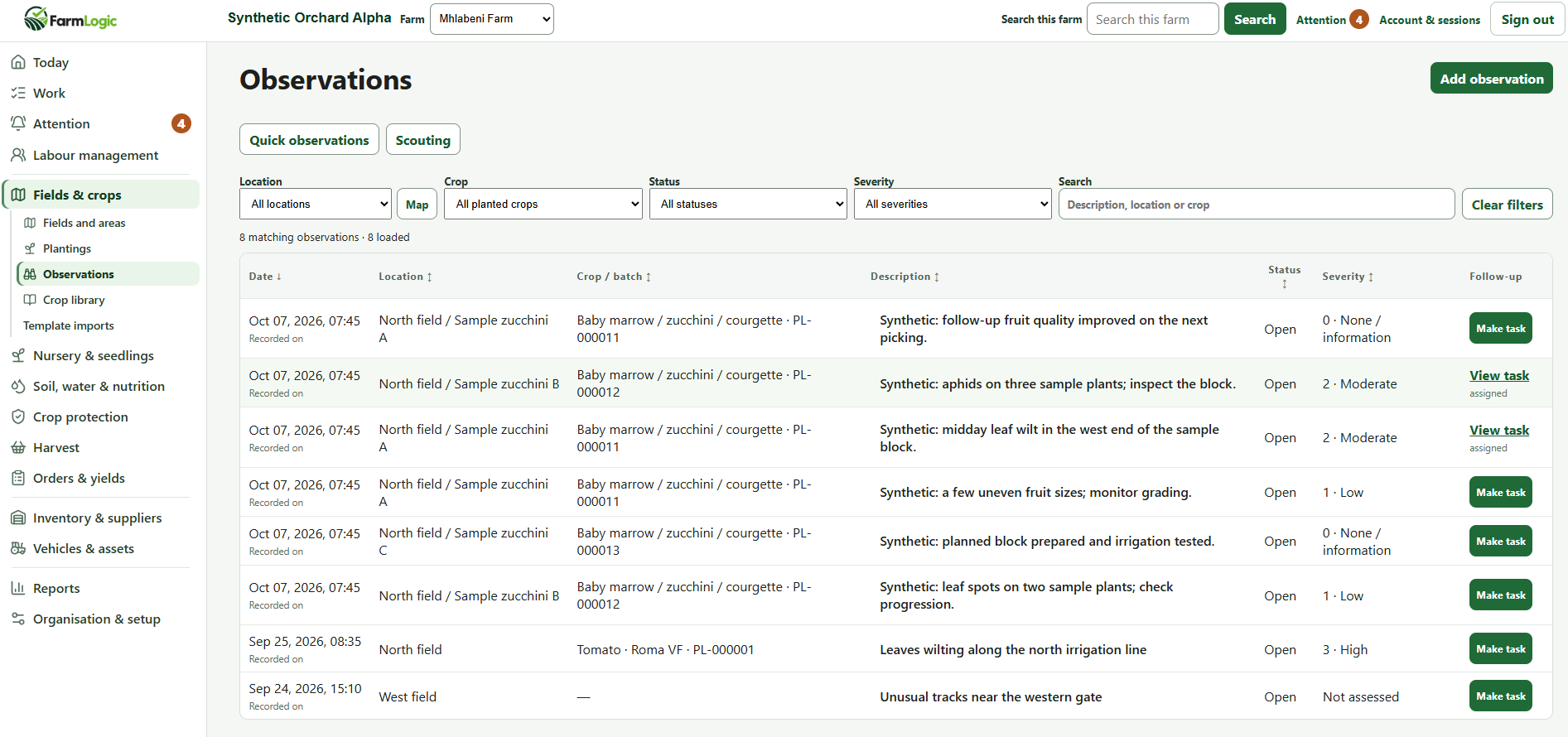
Demonstration dataObservations list in the FarmLogic web app. Demonstration data: entries marked “Synthetic” are sample records.
Keep field notes and their follow-up together.
Filter by location, crop, status and severity
Make a task straight from an observation
See which observations already have a task
From seasonal plans to daily work
Plan the season. Make the week work.
FarmLogic adapts principles from the Last Planner System to practical farm planning. Priorities set for the season are worked down into a manageable week and clear daily tasks — and the plan can adjust when weather and field conditions change.
Seasonal plan:
Start with the season as a whole: which crops go into which fields and blocks, and the planting and harvest windows you are aiming for. It gives everyone the same starting point.
Monthly plan:
Bring the next few weeks into focus. Check what each upcoming job needs — people, inputs, equipment, a ready field — so that work is prepared before it is due rather than discovered on the day.
Weekly execution:
Turn priorities into a manageable week. Place each task on a day, allocate a team or employee and see at a glance what still needs a day or an assignee.
Daily tasks:
Supervisors see today’s work, record progress and capture what they find in the field. When weather or conditions change, the plan is adjusted and the next week is planned with that in mind.
Pilot product viewWeekly planning grid in the FarmLogic web app. A real pilot view: the tasks shown are still unassigned and waiting for a day.
Observations that lead to action
Spot it. Assign it. Follow it through.
What people notice in the field is only useful if someone acts on it. FarmLogic keeps the observation, the task and the follow-up in one place, and the decision on what to do stays with your team.
Step 01
Record
A supervisor or scout notes what they see in the field, with a severity and an optional photo.
Step 02
Bring attention
Warnings draw attention to open issues so they are not lost in a notebook or a chat message.
Step 03
Create or link a task
A manager decides what to do and creates a task, or links the observation to work already planned.
Step 04
Follow up
The task is assigned and completed, and the observation shows that follow-up has happened.
Illustrative workflow
Simple examples of how an observation becomes follow-up work.
Pest example
ObservationAphids found on a few plants at the end of a block.
Follow-up taskInspect the rest of the block and record what is found.
Equipment example
ObservationDrip line leaking along the north irrigation row.
Follow-up taskRepair the line and check the row afterwards.
Demonstration dataObservations list in the FarmLogic web app. Demonstration data: entries marked “Synthetic” are sample records.
Built for the supervisor’s working day
Practical tools for work in the field.
The FarmLogic mobile app gives supervisors what they need while they are out with their teams — without digging through menus.
Large, clear buttons
Designed to be used outdoors, quickly, by people with work to get on with.
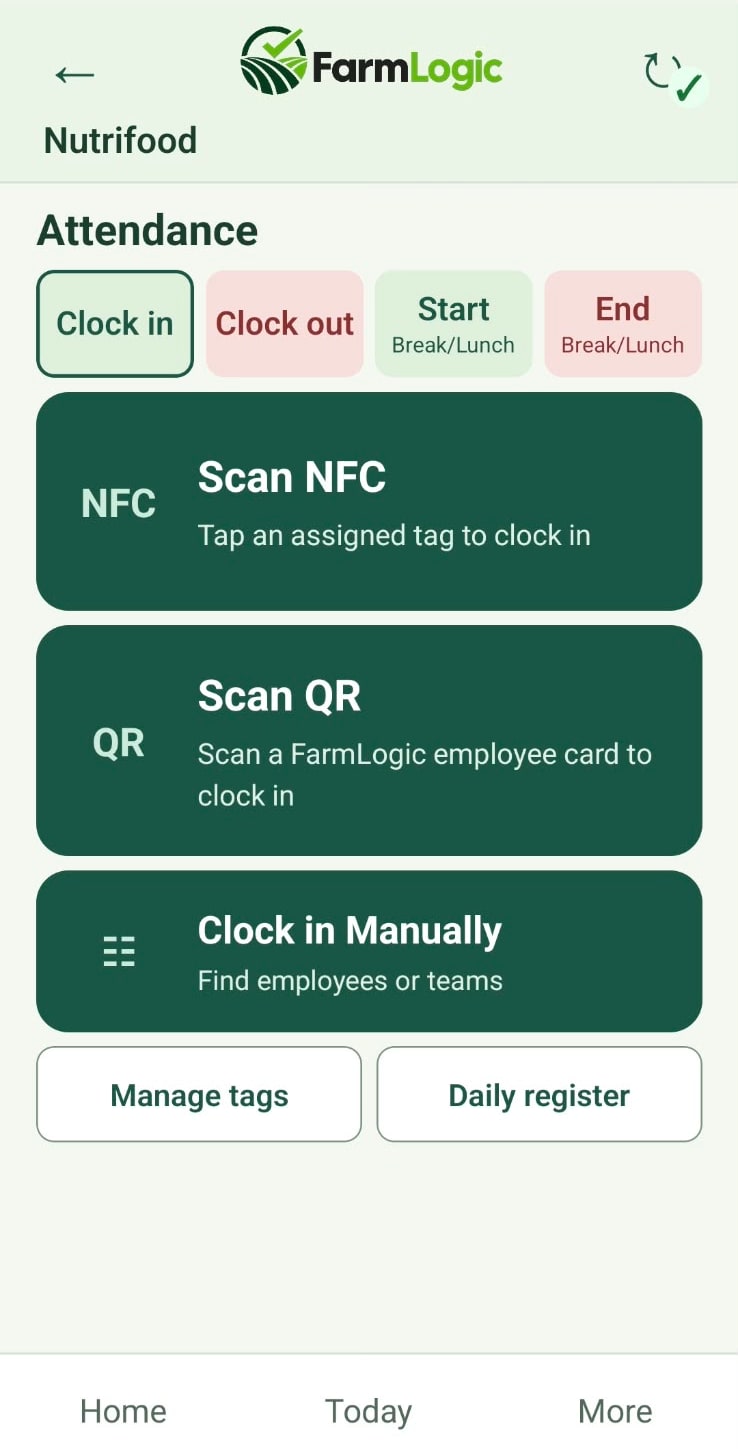
Clocking and attendance
Clock in and out, record breaks and keep a daily register.
Harvest recording
Record harvested quantities by team or employee against a field and planting.
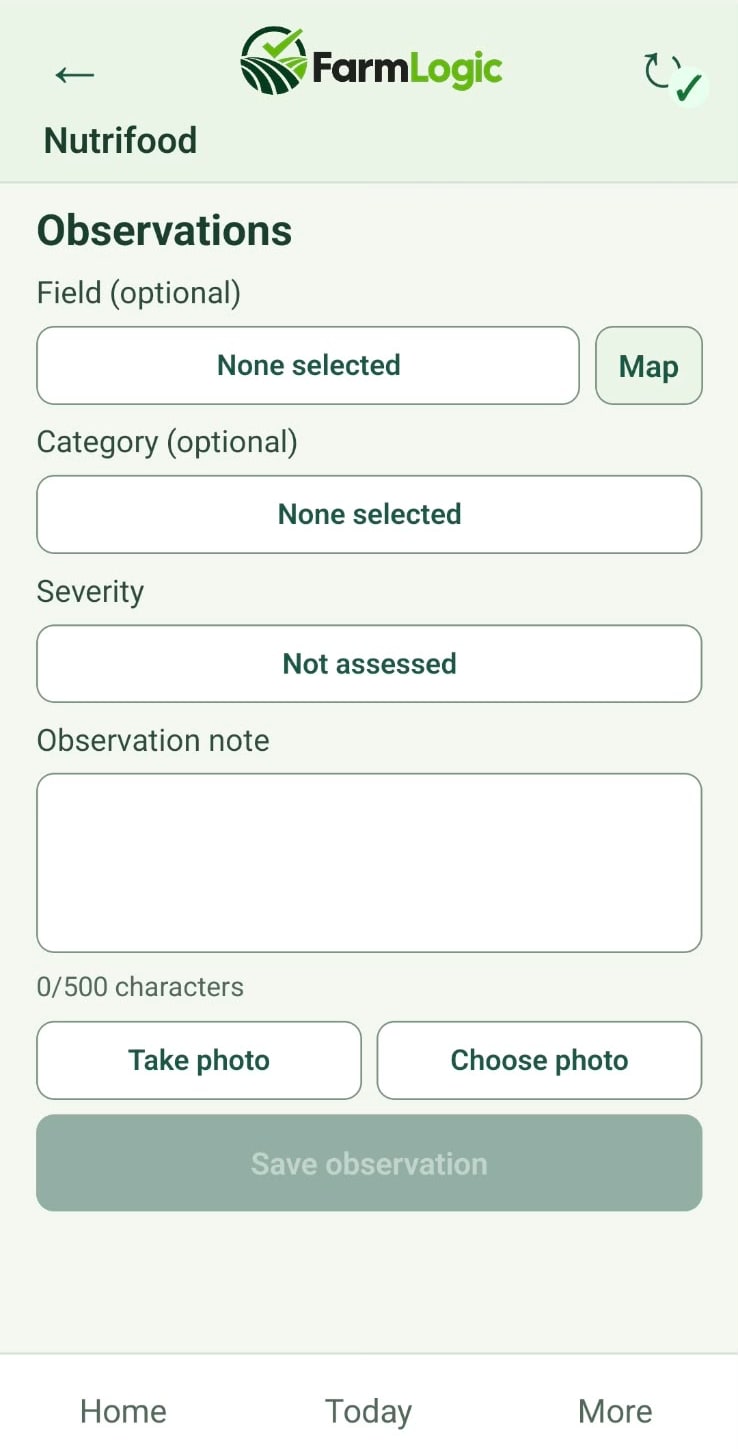
Observations
Capture field notes with severity and photos.
NFC and QR tagging
Use NFC tags and QR employee cards on supported devices.
Part of pilot testing. Mobile availability and device requirements, including NFC support, can be discussed during a demonstration.
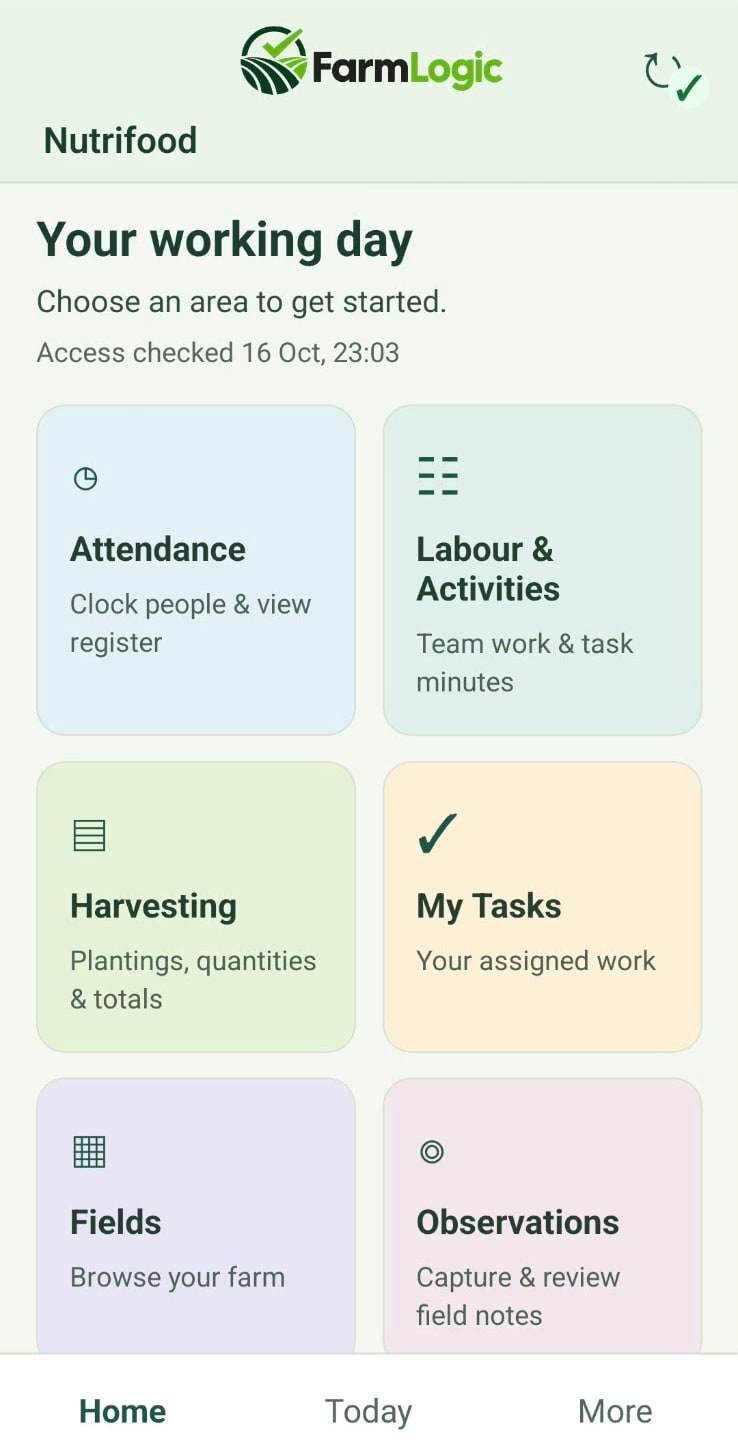
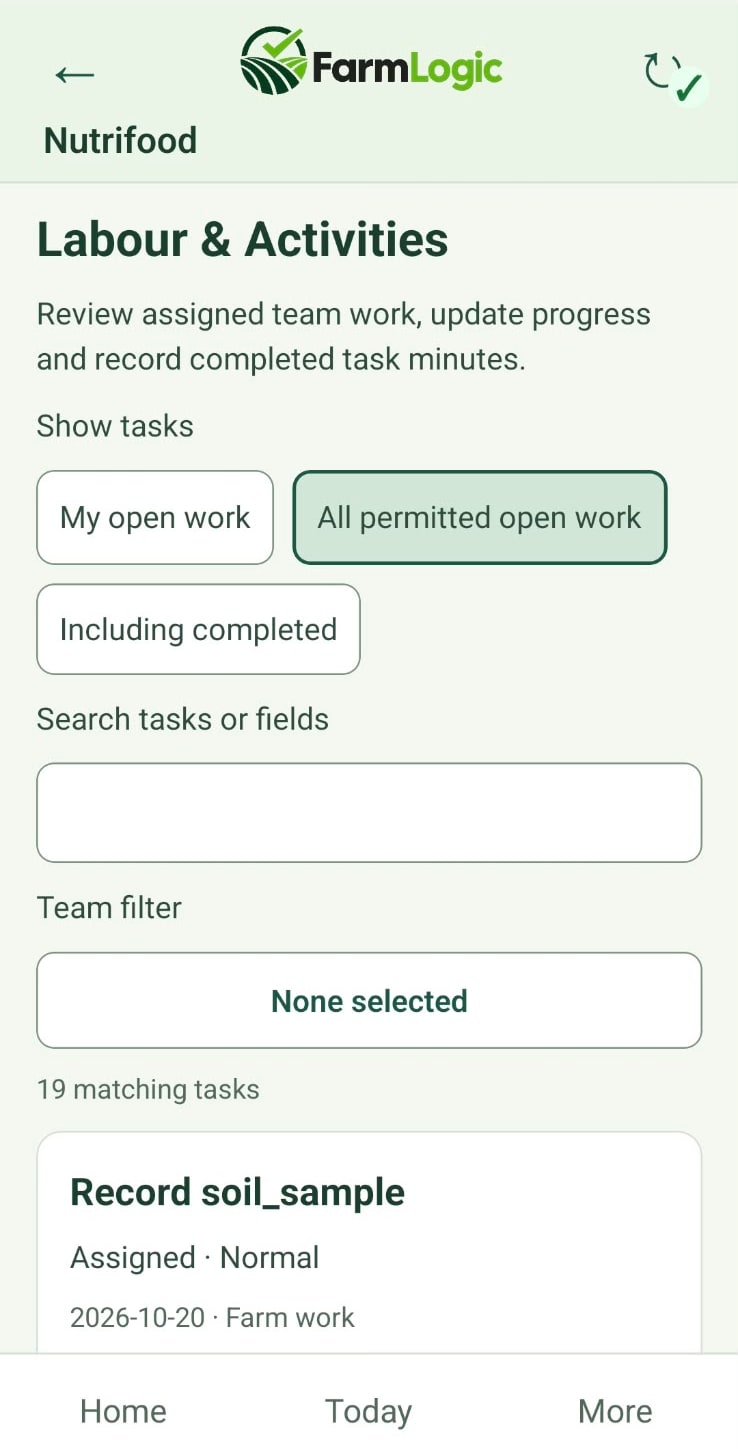
A clear start to the working dayLarge tiles take supervisors straight to attendance, team work, harvesting, tasks, fields and observations.
Clock people in and outClock in by NFC tag, QR employee card or manually, record breaks and check the daily register.
Capture what you seeNote an issue against a field, set the severity and add a photo while standing in front of it.
Labour & Activities
Pilot product view · Android
The records behind the work
Keep the records you need, close to the work.
Records are captured as part of everyday work, so they are there when you need to look back or prepare for an audit.
Crop protection
Loaded insecticide and product information supports spray instructions and the records you keep for GLOBALG.A.P. audit preparation.
Record-keeping support only. FarmLogic does not certify, endorse or guarantee compliance, and product information should be checked against current labels and registrations.
Soil and amendments
Store soil tests and amendment records, with summaries that are easy to read when you need them.
Your agronomic decisions stay with you and your advisers.
Assets and fuel
Track maintenance, raise observations for repairs and log diesel use to support your rebate record-keeping.
FarmLogic helps keep the records. It does not submit rebate claims or determine eligibility.
Across the platform
These areas are part of the pilot platform and continue to develop. We can show you what is available today.
Fields and plantings
Harvesting and yields
Orders
Labour
Nursery
Irrigation and fertiliser
Inventory and suppliers
Reporting
Pricing & pilot
Join FarmLogic’s pilot programme.
FarmLogic is currently in pilot testing, with onboarding available for early users. Request a demonstration to discuss your farm’s needs and current feature availability.
1Tell us about your farm and what you grow.
2We arrange a demonstration and talk through current feature availability.
3If it is a good fit, we discuss pricing and pilot onboarding.
Early onboarding
Request pricing
Special pricing available for early onboarding.
Pricing is discussed with each farm. Features are still being developed during the pilot, so we will be clear about what is available today.
FarmLogic is initially built for commercial vegetable farms in South Africa — owners, farm managers and the supervisors who run the work in the field. We intend to extend it to other farming sectors and markets over time.
Is FarmLogic in pilot testing?
Yes. FarmLogic is in pilot testing and is accepting early onboarding at special pricing. Features are still being developed, so we will talk you through what is available today during a demonstration.
How do I find out about mobile availability?
The mobile app is part of pilot testing. Ask about it when you request a demonstration, and we will discuss availability and device requirements for your farm, including NFC support.
How do I request pricing or a demo?
Email sales@farmlogic.app to request a demo or discuss pricing. Pricing is discussed individually, with special pricing for early onboarding.
Plan Smarter. Grow Better.
See how FarmLogic could work on your farm.
Book a demonstration and we will walk through the platform with your farm in mind.